Notion Keyboard Shortcuts for Beginners (1)
Ritesh Nayak
Dec 26, 2025
Want to work faster in Notion? Mastering keyboard shortcuts is the key.
Instead of reaching for your mouse, you can use simple keystrokes to navigate pages, format text, and manage your workspace efficiently. Here’s a quick breakdown of the most helpful shortcuts for beginners:
Navigation: Move between pages with
Cmd/Ctrl + [(back) andCmd/Ctrl + ](forward). UseCmd/Ctrl + Pto search any page instantly.Page Management: Create a new page with
Cmd/Ctrl + N, or turn text into a page withCmd/Ctrl + Option/Shift + 9.Text Formatting: Bold (
Cmd/Ctrl + B), italic (Cmd/Ctrl + I), and underline (Cmd/Ctrl + U) with ease.Lists and Blocks: Use
Tabto indent,Shift + Tabto outdent, and/to access block options like bullet lists, to-dos, or toggles.
Pro Tip: Start with essential shortcuts like Cmd/Ctrl + P (Quick Find) or / (slash menu) and build from there. In just a week or two, these commands will feel natural and save you tons of time.
Quick Reference Table:
Action | Mac Shortcut | Windows Shortcut |
|---|---|---|
Go Back |
|
|
Open Quick Find |
|
|
Bold Text |
|
|
Create New Page |
|
|
Toggle Sidebar |
|
|
These shortcuts can double your productivity in Notion. Start small, focus on what you use most, and watch your workflow improve.
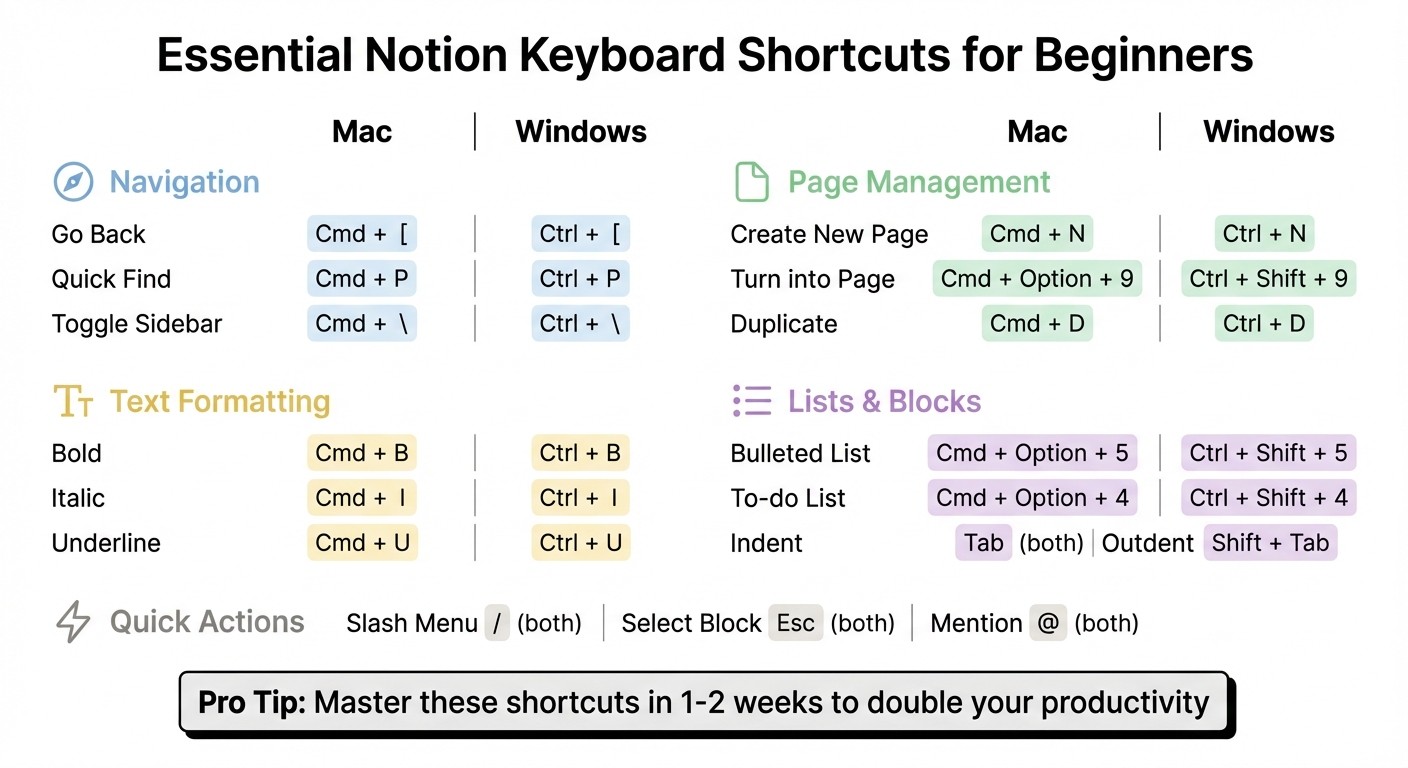
Essential Notion Keyboard Shortcuts Quick Reference Guide for Mac and Windows